guruTricks

Technology

  • News
  • Tips
  • Tricks
  • Tutorials

Hot

Friday, September 1, 2017

Microsoft Windows 10 ‘Fall Creators Update’ to roll out on October 17

September 01, 2017 0

The update will bring support for virtual and mixed reality.

Microsoft Windows 10 Creators Fall Update preview
Microsoft on Thursday announced that the ‘Fall Creators Update’ for Windows 10will start rolling out on October 17 and it will include Virtual Reality (VR) and mixed reality support.
Announcing the availability at the Internationale Funkausstellung (IFA) industry show which is underway in Berlin, Microsoft’s Executive Vice President for Windows and Devices Terry Myerson said that the free update, originally announced in May, will also include a new photo app and many tweaks to the overall design and usability of Windows 10.
In the keynote, Myerson highlighted several new features, such as new inking tools for stylus users including the ability to draw directly on PDF files, new 3D features for the Photos app and a new gaming mode that limits background tasks for better game performance.
Official support for Microsoft Mixed Reality headsets — such as the models coming from Dell, HP, Acer and Lenovo — is also coming with the October 17 update, and those headsets are also expected to start shipping on or soon after October 17, Myerson added.
According to Microsoft website, the update will also have ‘Timeline’ feature that will let users “jump back in time to find what they were working on, whether it was two hours or two months ago”.
The new Cortana notification will let users work on several devices.
“Log out of one device and Cortana asks if you want to continue working in your app, doc or website on your next device. You can also copy and paste between connected devices from your clipboard,” the website added.Also, users can save files on Microsoft Cloud and access them anywhere with ‘OneDrive Files On-Demand’.
Read More

6 Million Reliance JioPhone units booked within a day: Report

September 01, 2017 0

Due to the high demand, the bookings for JioPhone have been temporarily stalled.

Reliance-JioPhone
The ‘effectively free’ 4G VoLTE JioPhone was bound to get its share of attention. However, no one had estimated that it would reach top levels of interest even before it makes it to the hands of users. The phone went up for bookings on August 24, and as per the official website, further requests have been stalled owing to the high demand. If industry sources are to be believed, Reliance Retail Limited booked over 6 million JioPhone units within a day of the phone going up for booking.
As per the sources, the company further registered 10 million expressions of interest for the JioPhone. The Reliance JioPhone, many might argue is meant for the rural populace, given the digital divide. However, these numbers are a collective figure from across the country with equal participation from metros, smaller towns, and rural areas.
Bookings for the JioPhone are currently halted, but customers can still register their interest, and will be notified about the availability of the phone on a priority basis when the booking process resumes. Although the official website does not explicitly mention as to when the customers who have already booked the device will get it delivered. As per sources, the deliveries will commence as planned during the period of Navratri, which falls in September.
Although there is still a lack of clarity on when exactly the bookings will resume, a few retailers expect it to be delayed till the end of September. However, there are others who indicate the second round of booking could start by next week. As the phone will be sold on a priority basis, we can expect the deliveries to be executed in the same manner.

To recall, to buy a JioPhone, you will be required to pay an amount of Rs 1,500, which is fully refundable after a period of three years. This, as the company claims, is to avoid misuse of the scheme and special benefits with Jio apps and data plan. As for the specifications, the JioPhone runs KaiOS and is pre-loaded with Jio apps. In addition to that, the JioPhone includes 4GB of expandable internal storage, 2-megapixel rear camera, NFC support, and a 2,000mAh battery that is claimed to offer 15 days of standby
Read More

Reliance JioPhone delivery likely to be delayed till September-end

September 01, 2017 0

Some Reliance Digital store retailers claimed that the second round of pre-booking may start in a few days.

reliance jiophone lead
Reliance Industries Chairman Mukesh Ambani, almost disrupted the market when he recently unveiled the “effectively Re 0” JioPhone. After the announcement in July, the feature phone was opened for testing and pre-booking in August, with initially announced plans of the device being available starting September. However, due to overwhelming response, the pre-bookings were stopped abruptly until further notice, and now the deliveries have been delayed too.
While reports earlier suggested just a week’s delay, BGR India spoke with a few Reliance Digital retailers in Delhi NCR, who say that the deliveries could be delayed till the end of this month. When asked the soonest we could expect the JioPhone to be up for sale, a Reliance Digital store retailer said, “We are unaware of an exact date, but don’t expect it anytime before the month-end.” Another retailer hinted at “last week of September”.
Although, one of the retailers did inform us, that the second round of pre-booking could start by next week. However, here it is important to note that the JioPhone is supposed to be delivered on a first-come-first-serve basis, which means the ones who booked first would get the device first. So the first wave of pre-bookers will get the device in the first wave of sale, and the second wave of sale will address the next batch of pre-bookings. Though, there are also some reports that suggest that the JioPhone deliveries will kick off by September 10. 
If you have already booked a JioPhone you can check the status of your order by sending a message to 18008908900 via the mobile number you used to book the device.
As for the second wave of bookings, Reliance Jio has not given any official word on when that would begin, either. However, the company did promise a second wave would take place. Just few days after the pre-bookings started on August 24, Reliance Jio halted the process, saying that over a million devices has already been booked in that time. Now, the company didn’t give an exact number to that, but some media reports believed it could have gone up to three to four million. 
Read More

Man’s Twitter account suspended over killing a mosquito !!!

September 01, 2017 0

Twitter's decision to ban @nemuismywife has attracted ridicule on social media.

twitter-logo
Twitter has banned a Japanese man after he posted a photo of a mosquito he killed on the micro-blogging platform. It started on August 20 when the user @nemuismywife was bitten by a mosquito as he was watching TV, the BBC reported.
“Where do you get off biting me all over while I’m just trying to relax and watch TV? Die! (Actually, you’re already dead),” he tweeted after killing the mosquito and added a picture of a dead insect to the tweet. He later received a message from Twitter saying that his account had been frozen and cannot be reactivated.
He set up a new Twitter account, @DaydreamMatcha and tweeted: “My previous account was permanently frozen after I said I killed a mosquito. Is this a violation?” His angry tweet was retweeted more than 31,000 times and liked more than 27,000 Twitter users.
twitter-suspended
Tweeting abuse can get a user banned from the platform but Twitter’s decision to ban @nemuismywife has attracted ridicule on social media. Twitter has rolled out a number of new measures to curb online abuse and harassment on its platform.  US business magazine Forbes reported that Twitter launched an algorithm to detect abusive behavior by looking and picking up key offensive words.
Read More

Nokia 130 launched in India, priced at Rs 1,599

September 01, 2017 0

The Nokia 130 is a refreshed version of the feature phone first launched in 2014.

Nokia 130 launched in India
HMD Global launched a slew of Nokia-branded phones this year with the Nokia 3310, Nokia 3, Nokia 5 and Nokia 6. This was followed by the launch of the refreshed Nokia 105 and Nokia 130 feature phones last month. HMD Global has now launched the Nokia 130 in India. The feature phone is priced at Rs 1,599, and is available for purchase in retail stores across India.
In terms of design, the Nokia 130 flaunts a glossy front finish and matte back finish. The phone comes with color coordinated keys in three color options of red, gray, and black. Reminiscent of the old Nokia feature phones, this one also has the popular Snake Xenzia game. It also comes with five games from Gameloft including Ninja Up, Danger Dash, Nitro Racing, Air Strike, and Sky Gift. These games are available for try and buy options. The Nokia 130 also features an LED torchlight, which can be accessed by pressing the up key twice.

Nokia 130 specifications, features

As far as specifications are concerned, the Nokia 130 feature phone comes with a 1.8-inch color display. For memory, it comes with a microSD card with storage capability of up to 32GB to store photos, music and videos. Connectivity options on the Nokia 130 include dual-SIM support, Bluetooth support for file transfer, and compatible headsets, and microUSB 2.0. It also comes with FM radio support, and a VGA camera for capturing photos and videos. Keeping the phone ticking is a 1,020mAh battery claimed to provide up to 44 hours of radio playback, and 11.5 hours of video playback on a single charge. 
Read More

Skype Lite launches SMS Insight to make your inbox smarter with action links

September 01, 2017 0

Skype Lite in currently only available for Android users.

skype-light-sms-insight
To be honest, I receive so many text messages each day, that it almost feels like a full-time job to keep those messages organized. With so many messages requiring attention, from bills to travel confirmations to appointments, keeping a track of all can get a bit overwhelming. And claiming to have found the key to the very issue, Skype Lite has launched a new feature called SMS Insights, which will apparently make your inbox smarter.
Essentially, the new feature sorts your inbox by categorizing your messages under different heads like Finance, Shopping, Travel, Reminder, and Promotions, and further aggregates the information it senses that you need, and presents it all at one place. In effect, it will offer you relevant action links that allow you to pay bills, check-in to flights, and even call customer support numbers. For that you’d obviously need to provide SMS access to Skype Lite App.
So now when you tap on an SMS, you’ll see that the message is divided in two tabs, one being the SMS itself, and the other tab being Insights. The Insights tab is what will carry all the action links. For instance, in a Finance category, after you have activated SMS Insights, instead of needing to sort all your texts and notifications from your bank to determine the balances of your bank accounts, credit cards, and wallets individually, with the new feature you just need to check SMS Insights, and you’ll see the balance of all your accounts displayed at one place. It shows your current balances across your accounts and wallets, on one screen, based on your most recent SMS messages.


Similarly, the shopping category shows you the date and status of your orders, and lets you track packages; the promotions category pulls out the biggest discounts to show you the best deals.
As for privacy, announcement blog for the feature claims that “all the SMS classification and categorization happens locally on your phone. Microsoft doesn’t read or store your SMS information”. 

Read More

Xiaomi Mi A1 Android One smartphone with dual cameras, bezel-less display leaked

September 01, 2017 0

The Xiaomi Mi A1 is likely to be a variant of the Mi 5X, but with stock Android.

Xiaomi-Mi-A1-leaked
Xiaomi is long-rumored to be collaborating with Google to build an Android One smartphone. Earlier this month, we came across rumors about the company looking at building a variant of the recently launched Mi 5X, which would essentially be a watered down version targeted at first-time smartphone users in emerging markets. Now, if the latest reports are anything to go by, the purported smartphone could be called the Xiaomi Mi A1.
The moniker falls somewhat in line with past reports, suggesting ‘Xiaomi A1′ as the possible name of the Xiaomi Android One smartphone. According to images leaked on Weibo, the smartphone could feature a full screen display, and boast a dual-camera setup.
Based on the images, the smartphone could boast an edge-to-edge display, with extremely narrow bezels on the top and bottom. The fingerprint sensor also appears amiss on the front panel, according to the images. In addition to that, the overall design of the smartphone also appears sleek. 
Unfortunately, the new rumors do not detail anything more than providing a glimpse into the design of the Xiaomi Mi A1. Past reports indicated the smartphone could feature a 5.5-inch full HD display. It is expected to be powered by Qualcomm Snapdragon 625 SoC. Going by the rumors, the Xiaomi Mi A1 or Xiaomi A1 could be the first Android One smartphone to boast the latest industry fad of dual-camera setup.
Android One devices are Google’s line of affordable, entry-level smartphones running on stock Android. However, the initiative has not really been able to drive sales so far. At Google I/O 2017, the company announced ‘Android Go’ for India, Brazil, and other emerging markets. It is a version of the Android OS optimized to work on entry-level smartphones, consume less data and also support multiple regional languages. While Android One looked at developing entry-level hardware, Android Go is an attempt to improve the overall experience on affordable smartphones with pre-loaded optimized lite apps like YouTube Go, as well as a lighter variant of the Google Play Store.

Read More

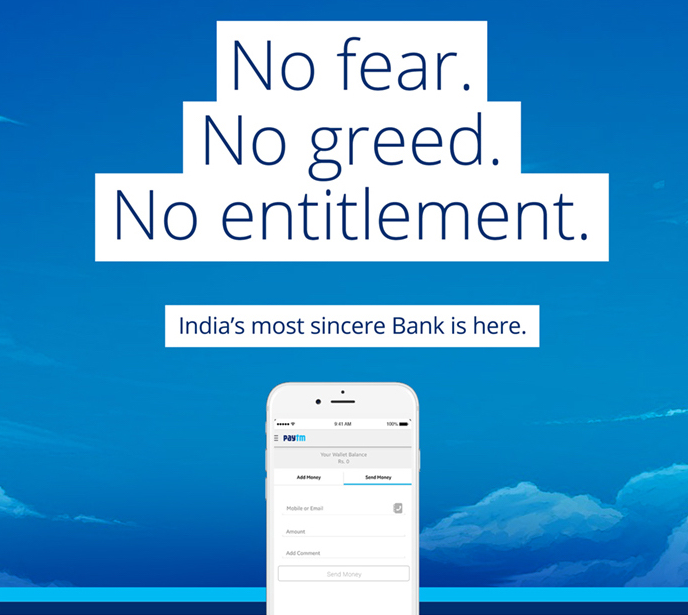
Paytm Payments Bank: How to open an account

September 01, 2017 0

Paytm has updated its Android and iOS apps with the ability to let you open a Paytm Payments Bank account. Here’s how it works.


Back in May, Paytm launched its Payments Bank service in India, and after being in beta testing for months, the bank is now open to all users. The latest Paytm app (v 6.0) for Android and iOS allows interested users to sign up and open an account. However, you won’t be able to do the same via Paytm website, nor are there any physical branches where you can go and sign up. If you’re interested in knowing how to open a Paytm Payments Bank account, what all documents to submit, features and charges, read on.
The Paytm Payments Bank signup process is pretty simple. You can open an account in minutes, without having to visit the branch. Also, the process does not involve filling in a lot of paperwork. To begin with, you need to have a Paytm account. In case you don’t have one already, you can head over to paytm.com or download Paytm app on your Android or iOS devices and signup with your mobile number, email address and other details.

How to open Paytm Payments Bank account

After updating the Paytm app to the latest version, you will be greeted with a popup about the bank. Tap on the ‘Proceed’ button, and it will ask you to set a passcode, followed by an option to appoint a nominee. You will have to enter nominee details such as full name, relationship, age and date of birth, address and more. 
paytm payments bank application
Once the nominee is appointed, you will have to enter your Aadhaar card and PAN card numbers, followed by the address of verification. After all these details are provided, a Paytm representative will visit your given address for verification, after which your Payments Bank account will be activated. 

Benefits of opening Payments Bank account

Unlike typical banks, you don’t need to maintain any minimum account balance with Payments Bank. This means, you can even have ‘zero’ balance in your account. However, the maximum amount of money that you can keep in your Payments Bank account is capped at Rs 1 lakh. Paytm will also be offering you four percent interest on the amount per annum, just like other banks.
You will also get a Rupay debit card to withdraw money from ATMs for free. However, you will be charged Rs 100 (plus delivery charges) from next year. First five transactions per month will be free, after which each transaction will be charged at Rs 20, whereas mini statement will be charged at Rs 5 per statement. And unlike other banks that support online transactions, Paytm will not charge you – be it via IMPS, NEFT or UPI.
Paytm will also offer a check book to the account holders. Users will also get online passbook and email statements for free, but physical statements will be charged at Rs 50. Another important benefit of Paytm Payments Bank is that your Paytm wallet stays as is, and you can use it to do mobile recharges, pay electricity and other utility bill payments.
Frequently Asked Questions (FAQs)
Q. How is a Payments Bank different from a conventional bank?
Payments Bank is a new bank model visualised by the Reserve Bank of India. As a Payments Bank, Paytm can now accept customer deposits upto Rs. 1 lakh per customer in a savings or current account and offer other banking services like Debit Cards, Online Banking and Mobile Banking.
Payments Banks can not offer financial products of their own, but partner with other banks.
Q. What are the services offered by Paytm Payments Bank?
Paytm Payments Bank is offering savings and current accounts with a debit card and the ability to make fast and easy payments. It will soon enable you to access a range of financial services such as Insurance, Loans, Mutual Funds offered by our partner banks with the seamless Paytm experience.
Q. How can I open my account?
Currently we are inviting limited users to open an account with Paytm Payments Bank. You can request for an invite using paytmpaymentsbank.com or the latest Paytm app.
Q. What happens to my existing Wallet?
Your current Paytm Wallet will now move to the Paytm Payments Bank Limited in the same capacity i.e. KYC wallet as KYC wallet and minimum KYC wallet as minimum KYC wallet. You continue to use the Paytm Wallet as before without any changes.
However, if you have not used your wallet in the last 6 months and you have zero balance, you will be required to login to your wallet again to move to the Paytm Payments Bank.
Q. I see a text in my passbook about older transactions being from wallet under One97, what does this mean?
Your Paytm Wallet has moved from One97 Communications Ltd. to Paytm Payments Bank Limited as per the directions of RBI. The transactions you see under ‘wallet issued by One97 Communications Ltd.’ are the transactions made by you before your wallet moved to the Paytm Payments Bank.
Q. Will my wallet get converted into a bank account?
No, your wallet will simply operate under the Paytm Payments Bank and continue to exist and function in the same manner as earlier. In addition to a wallet, you will now be able to open a savings or current account with us and access a wide range of financial services.
Q. Can I choose not to move to Paytm Payments Bank?
Movement to Paytm Payments Bank is required by RBI for all Paytm Wallet customers. However, If you choose not to continue to enjoy the benefits of your Paytm Wallet, please email us at care@paytmpaymentsbank.com
If you chose not to migrate to Paytm Payments Bank, your wallet will be closed and you will not be able to make payments using your Paytm Wallet.
Q. Will my wallet balance now earn interest?
To earn interest, you will need to open a Paytm Payments Bank savings account.
Q. I accept Paytm at my store, what does this mean for me?
Your wallet continues to work the same way as before. There is no impact on your cashflows or the mode of accepting payment.
Q. I am expecting a refund on a payment I made from my Paytm Wallet. What happens to the refund now?
Your refunds will be given back to your wallet as earlier.
Q. Will my old login details work?
Yes, your Paytm login details continue to remain the same.
Q. Can I now withdraw money from my wallet?
No, withdrawing money from wallet is not allowed as per RBI policies.
Q. Is it mandatory to open an account with Paytm Payments Bank once it is launched, to continue using the wallet?
It is not mandatory to open an account with Paytm Payments Bank to use the wallet.
Q. Does this mean, I get a bank account with Paytm Payments Bank?
No. This is just a transfer of ownership of the Paytm Wallet to a new company called Paytm Payments Bank Ltd. You will now be given an option to open a separate bank account with us.
Q. Can I move my money to any other Bank from Paytm Payments Bank Wallet?
 
Yes, you would be able to send money to any bank account from your Paytm Payment Bank Wallet.
Q. I already have a Paytm account. Will I automatically become a Bank customer?
While you may be an existing Paytm user, you will need to open a Bank account separately.
Q. I haven’t done my KYC. Can I get a Payments Bank account?
Only KYC-enabled Paytm users are allowed to open a Paytm Payments Bank account. Our KYC process is instant and absolutely paperless — so what are you waiting for? Find your nearest KYC center here or click here to book an appointment at place of your convenience (limited service!)
Read More

15 Fun Facts About Google Which You Probably Don’t Know

September 01, 2017 0
15 Fun Facts About Google Which You Probably Don't Know


We all know that Google helps us to find out the best results on the web. We are going to share 15 facts about Google that you probably don’t know. So let’s go ahead and discover the 15 facts about Google.

15 Fun Facts About Google Which You Probably Don’t Know

Google is now one of the most powerful and influential companies in the world today. We all know that Google helps us to find out the best results on the web. We are going to share 15 facts about Google that you probably don’t know. So let’s go ahead and discover the 15 facts about Google.

#1 The First Google Doodle


15 Fun Facts About Google Which You Probably Don't Know
15 Fun Facts About Google Which You Probably Don’t Know

We all know about Google’s famous homepage “Doodles” which keeps changing from time to time. However, do you know the first Google Doodle was designed as a kind of “out of office” message? In the year 1998, Brin and Page took the weekend off for Burning Man festival in Nevada. Google Guys added the Burning Man Doodle in the homepage to let a user know that Brin and Page were out of office and couldn’t fix technical issues like a server crash.

#2 First Google Server was made from LEGO


15 Fun Facts About Google Which You Probably Don't Know
15 Fun Facts About Google Which You Probably Don’t Know

If we look around today, we will find that Google is one of the world’s biggest data storage companies. They also provide us Google drive where people can store their photos, emails and everything else. However, do you know? Google’s first storage was just a load of hard drives housed in a container built of LEGO.

#3 Google Original Name Was Backrub


15 Fun Facts About Google Which You Probably Don't Know
15 Fun Facts About Google Which You Probably Don’t Know

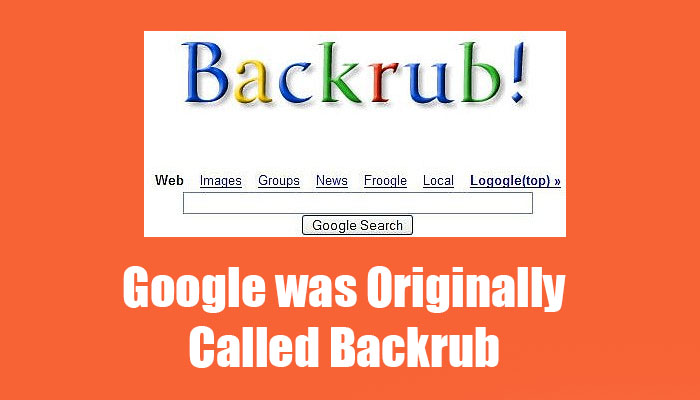
In the year 1995, Larry Page and Sergey Brin met at Stanford. The precursor to Google, the earliest collaboration between Google founders Larry Page and Sergey Brin, was nicknamed–rather oddly–BackRub.

#4 Google’s First Tweet


15 Fun Facts About Google Which You Probably Don't Know
15 Fun Facts About Google Which You Probably Don’t Know

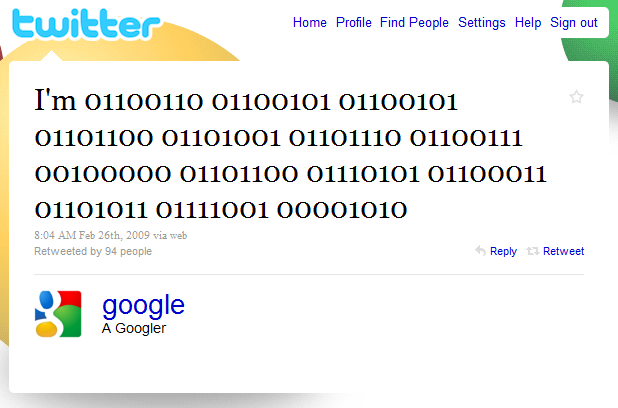
Google’s First tweet is somehow geeky it reads like “I’m 01100110 01100101 01100101 01101100 01101001 01101110 01100111 00100000 01101100 01110101 01100011 01101011 01111001 00001010.” If you are not good at binary then here is what it means “I’m feeling lucky.”

#5 Google Rents Goats


15 Fun Facts About Google Which You Probably Don't Know
15 Fun Facts About Google Which You Probably Don’t Know

This is not a joke! Google actually rents out goats. Google rents goats from a company called California Grazing in order to cut down a number of weeds and brush at Google headquarters.

#6 Google gives the good amount of money to husbands and wives of people who die while working for them.


15 Fun Facts About Google Which You Probably Don't Know
15 Fun Facts About Google Which You Probably Don’t Know

The husband and wives of people who die while working for Google receive 50 percent of their salary for the next decade. Moreover, their children also receive a payout until they’re grown up.

#7 Google Has a Dinosaur


15 Fun Facts About Google Which You Probably Don't Know
15 Fun Facts About Google Which You Probably Don’t Know

We are not talking about the T-rex that appears in the Google Chrome once the internet connection failed. Google’s campus has a huge model of a T-Rex skeleton which is nicknamed as STAN.

#8 Noogler and Xoogler


15 Fun Facts About Google Which You Probably Don't Know
15 Fun Facts About Google Which You Probably Don’t Know

Do you know employees who recently joined Google are known as “Noogler” and the former or old employee is referred as a “Xoogler”? Xoogler combining the words “Ex” and “Googler,”

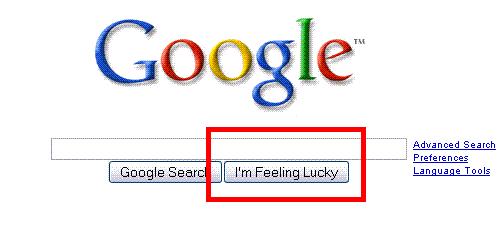
#9 The button “I’m Feeling Lucky” cost the company tens of millions of dollars per year


15 Fun Facts About Google Which You Probably Don't Know
15 Fun Facts About Google Which You Probably Don’t Know

This button seems like a bit of fun. However, it is an expensive fun for Google. The purpose of this button is to take users straight through the first results that simply means skipping all the ads that show up on the search page. This is how Google misses out the huge amount of money on the advertising revenue.

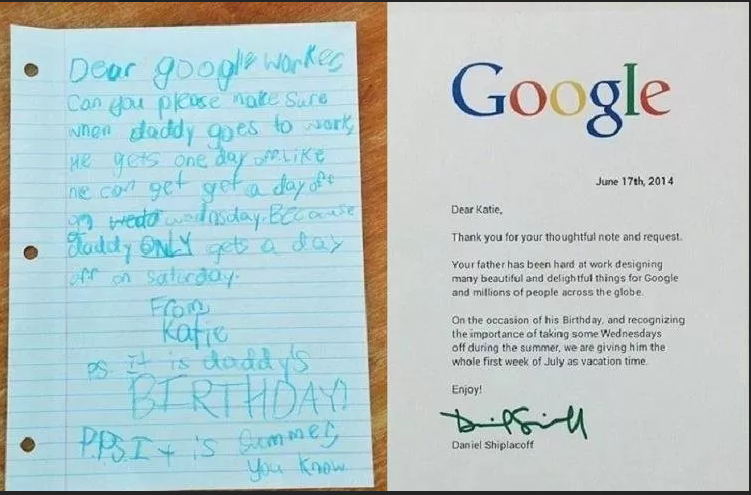
#10 Girl wrote to Google to give her father a holiday because it was his birthday. This is what Google replied.


15 Fun Facts About Google Which You Probably Don't Know
15 Fun Facts About Google Which You Probably Don’t Know

#11 Foods


15 Fun Facts About Google Which You Probably Don't Know
15 Fun Facts About Google Which You Probably Don’t Know

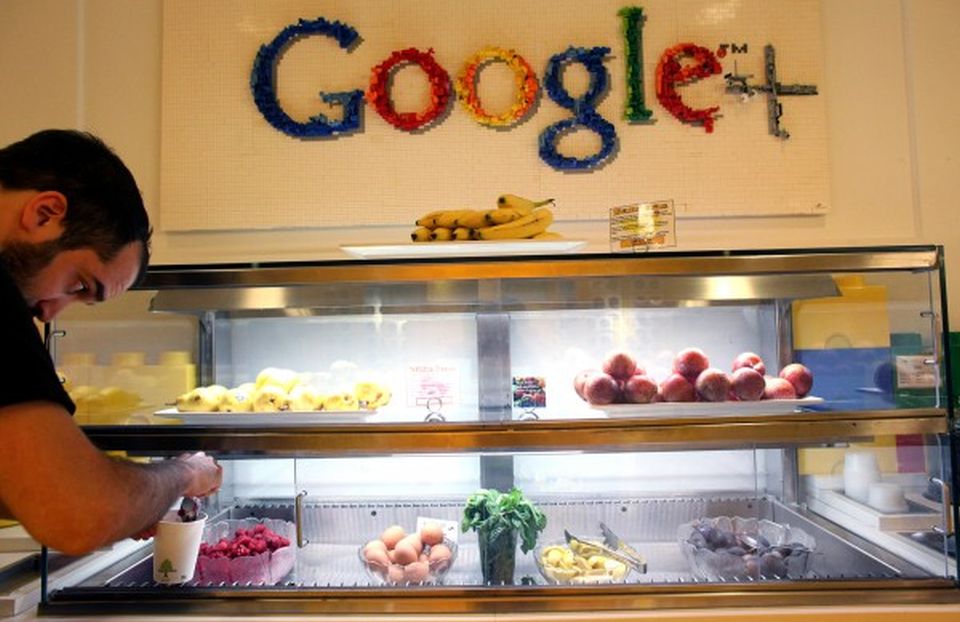
Well, we all know how big Google’s headquarter is. However, do you know Google has a food station every 150 meters at every Google office? So, workers can have food at that food stall whenever they feel hungry. Isn’t that amazing?

#12 Google was misspelled


15 Fun Facts About Google Which You Probably Don't Know
15 Fun Facts About Google Which You Probably Don’t Know

There are two stories that show the name Google was a mistake! Investors have misspelled the mathematical term “googol” as “google” and the spelling stuck. Another story claimed that some student misspelled “googol” while looking for the domain for the company.

#13 Google can perform fun stuff for you


15 Fun Facts About Google Which You Probably Don't Know
15 Fun Facts About Google Which You Probably Don’t Know

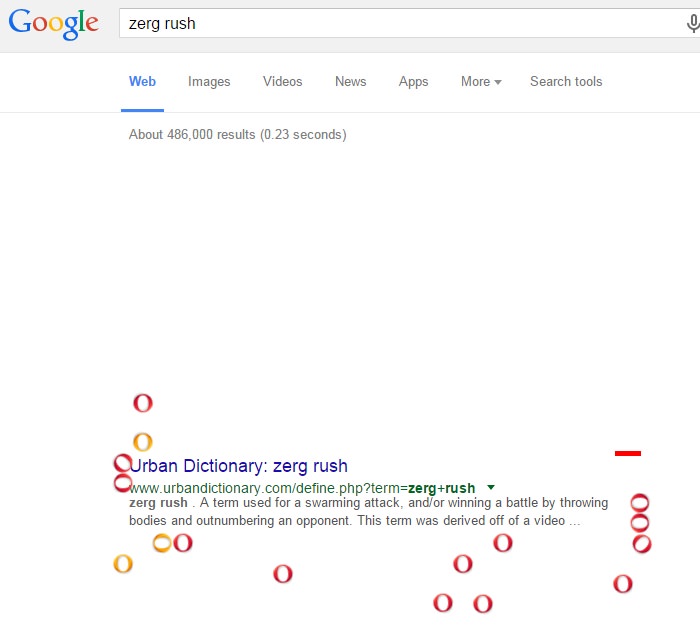
There are more than 50 easter eggs, secrets hidden in Google search itself. We have shared an article where we have mentioned almost 50+ hidden tricks and easter eggs of Google. You can visit our article to find Top 50+ Best Google Tricks and Tips 2017 to find out more about it.

#14 Google owns bunch of domains


15 Fun Facts About Google Which You Probably Don't Know
15 Fun Facts About Google Which You Probably Don’t Know

If you think Google just owns Google.com, Google.in etc, then you are wrong. Google also owns common misspells like Gooogle.com, Gogle.com, Googlr.com, 466453.com etc. You can search them, you will be landed to Google home page.

#15 Google’s Search Index is more than 100 Million Gigabytes in Size


15 Fun Facts About Google Which You Probably Don't Know
15 Fun Facts About Google Which You Probably Don’t Know

Now that’s really huge. Google’s search index is more than 100 million gigabytes in size. So, it would take almost 100,000 1TB pen drives to contain the whole amount of data.

Read More

How to Take Long Scrolling Screenshot on Any Android

September 01, 2017 0


Let’s have a look at the method to take Long Scrolling Screenshoton any Android with the help of two cool Android apps that will let you take such screenshots with great ease. So have a look at the complete guide below.
Screenshot feature has been a really useful function on the smartphone devices. Many of the people would have utilized it for many of the purposes. But apart from this feature being immensely useful, it also has restrictions that only a few things visible on the screen can be captured at once. To resolve this restriction the Xiaomi introduced the long scrolling screenshot feature in the MIUI. Through this feature the screenshot of long pages could be easily taken, you can compare this feature with the Panasonic image capture as this feature works like same. After the invent of the long scroll feature, not every Android device was enabled to utilize it potentially. To get this feature in every Android device there has to be done method applied. Here on this article, we have written about that method through which any Android device could get the facility I’d long scrolling screenshots. Just read this whole article if you wish to know about that method!

#1 LongShot


Take Long Scrolling Screenshot on Any Android
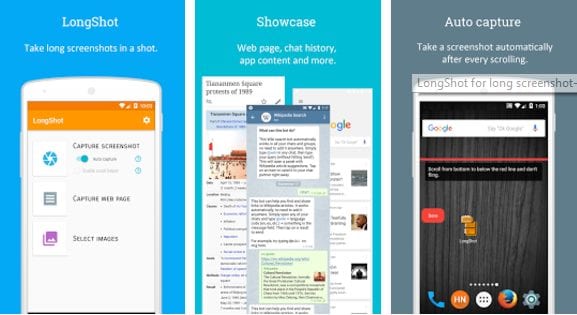
This is a third-party app that could be found in the Google Play store. The app is specially made for the only purpose to capture the long form screenshots. The process is simple, just open the app and then select Capture option. Start up with your pointing screen and move it slowly as the app stitches the quickly taken screenshots. The output will be a long form screenshot!

Features:

• Automatically merge multiple screenshots/images into one vertically or horizontally, with a bunch of options.
• Auto capture screenshots after scrolling.
• Floating screenshot capturing buttons make take multiple screenshots like a breeze.
• Powerful manual stitching tool to fine-tune a pixel-perfect long image.
• Capture long web page by only 2 clicks: set start position (optional), set end position – done!
• No watermarks, all features are free and non-intrusive (closable) ads.

#2 Scroll Capture


Take Long Scrolling Screenshot on Any Android
For taking screenshots of the web pages this app excels. Open your website for which you wish to take a screenshot and then click on the capture icon for this app. You will be able to take the screenshot within few instants.
Like the above apps, there are numerous other such apps that can help you capture scrolling long screenshots on any Android device. The above-provided apps are the best ones according to us. If you like these apps then please use these unless going for any other apps, you won’t face any kind of problems we believe so.
Read More